Skip to content

Smithworks · Open to every locksmith · free to start

Quote it on the call. Get paid in the driveway.

Locksmith software for one person and one van. Quote, schedule, invoice and take payment from your phone.

Works with
  • Built with Square
  • Google Calendar
  • QuickBooks
  • Zapier
  • Get it on Google Play
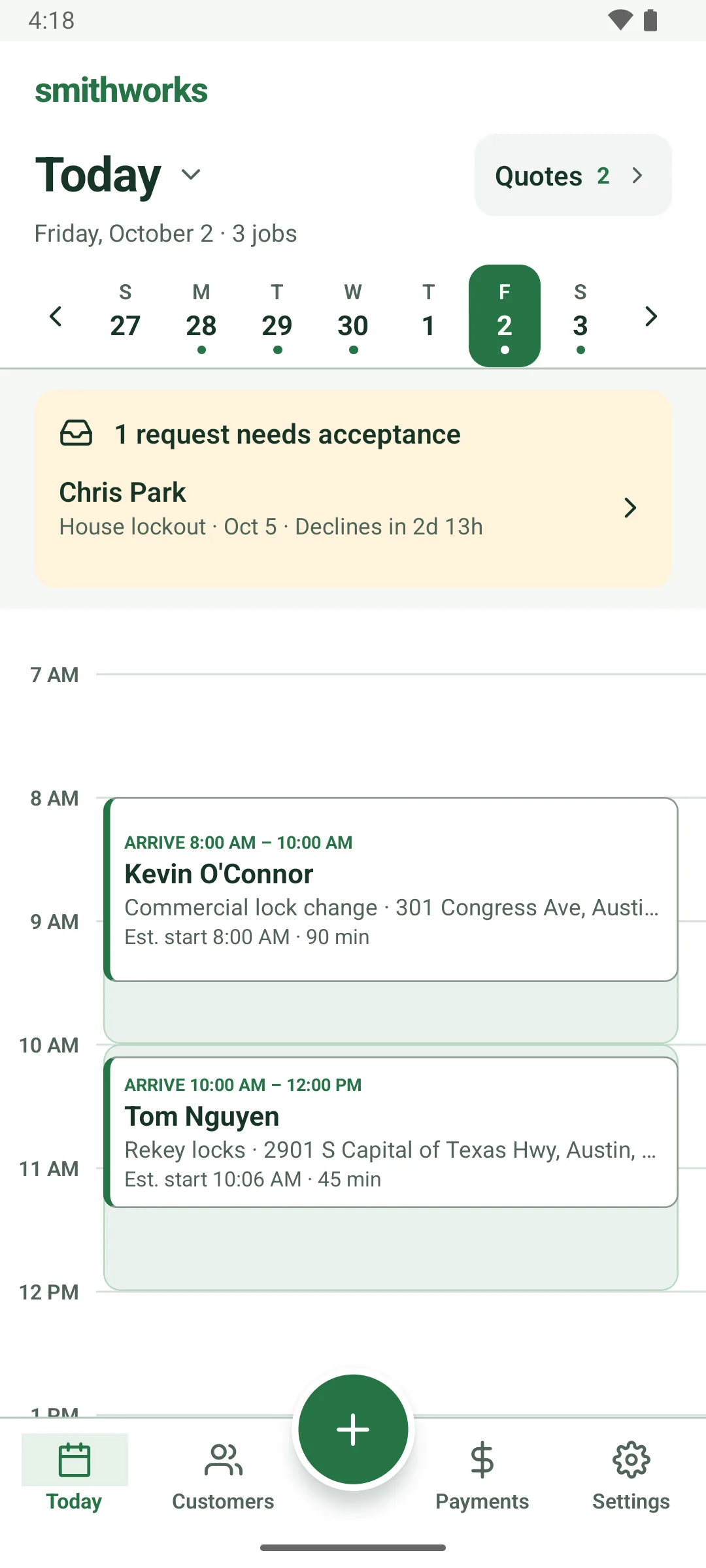
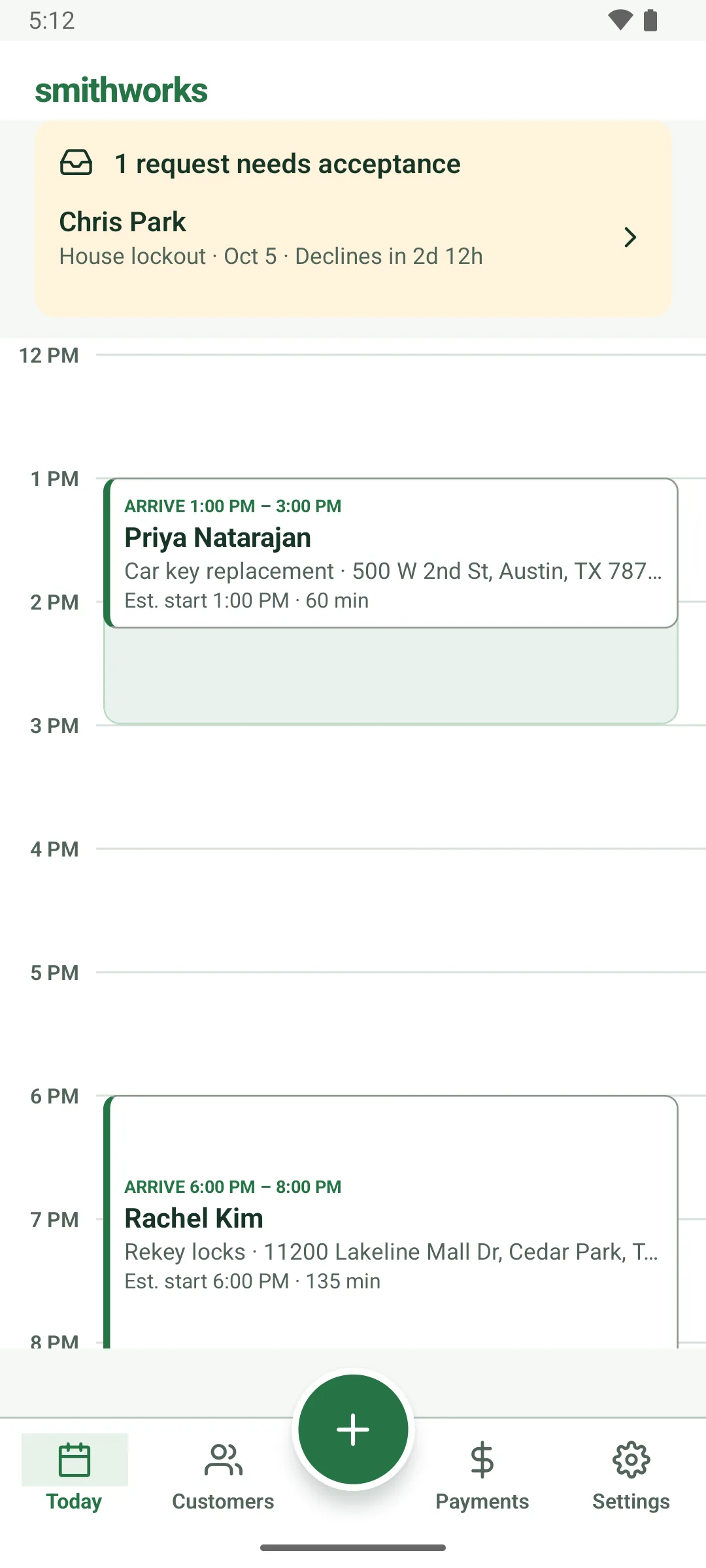
The Today screen's morning: Kevin O'Connor, arrive 8:00 to 10:00 AM, commercial lock change at 301 Congress Ave, estimated start 8:00 AM, 90 min; then Tom Nguyen, arrive 10:00 AM to 12:00 PM, rekey locks, estimated start 10:06 AM, 45 min. Each job sits inside a shaded band the length of its arrival window. A request banner for Chris Park is at the top.

How it works

One job, start to paid.

CaptureQuoteScheduleOn siteGet paid
The New customer form: Name and phone are required. Your customer stays saved even if you leave the job unfinished. The name Dee Brooks and a phone number are typed, and a Possible existing customer box says this phone or email is already on a customer record, with a Use Darnell Brooks button. Save & select customer at the bottom.

Take the call. Save the customer.

Caller hangs up mid-quote? You still have their name and number.
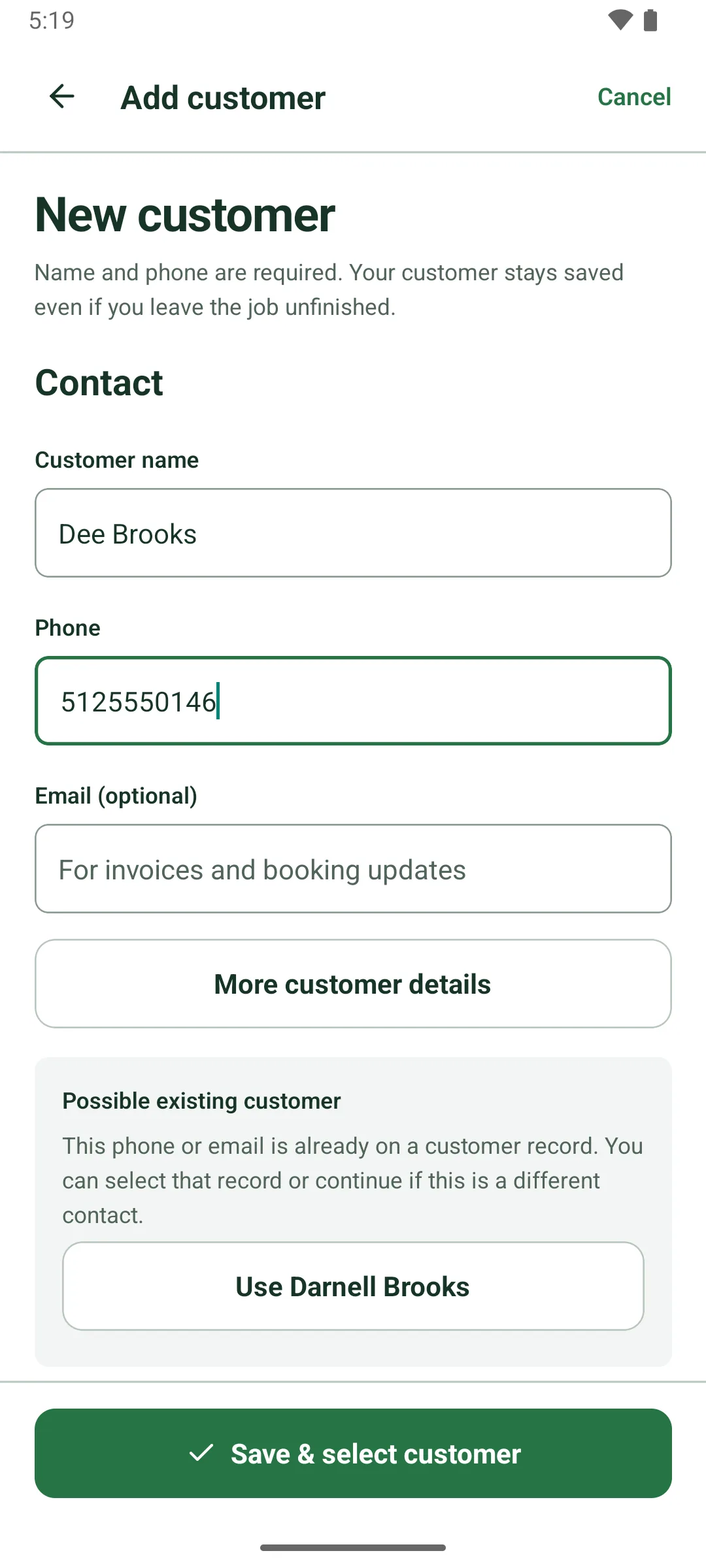
The New customer form: Name and phone are required. Your customer stays saved even if you leave the job unfinished. The name Dee Brooks and a phone number are typed, and a Possible existing customer box says this phone or email is already on a customer record, with a Use Darnell Brooks button. Save & select customer at the bottom.

Price it line by line.

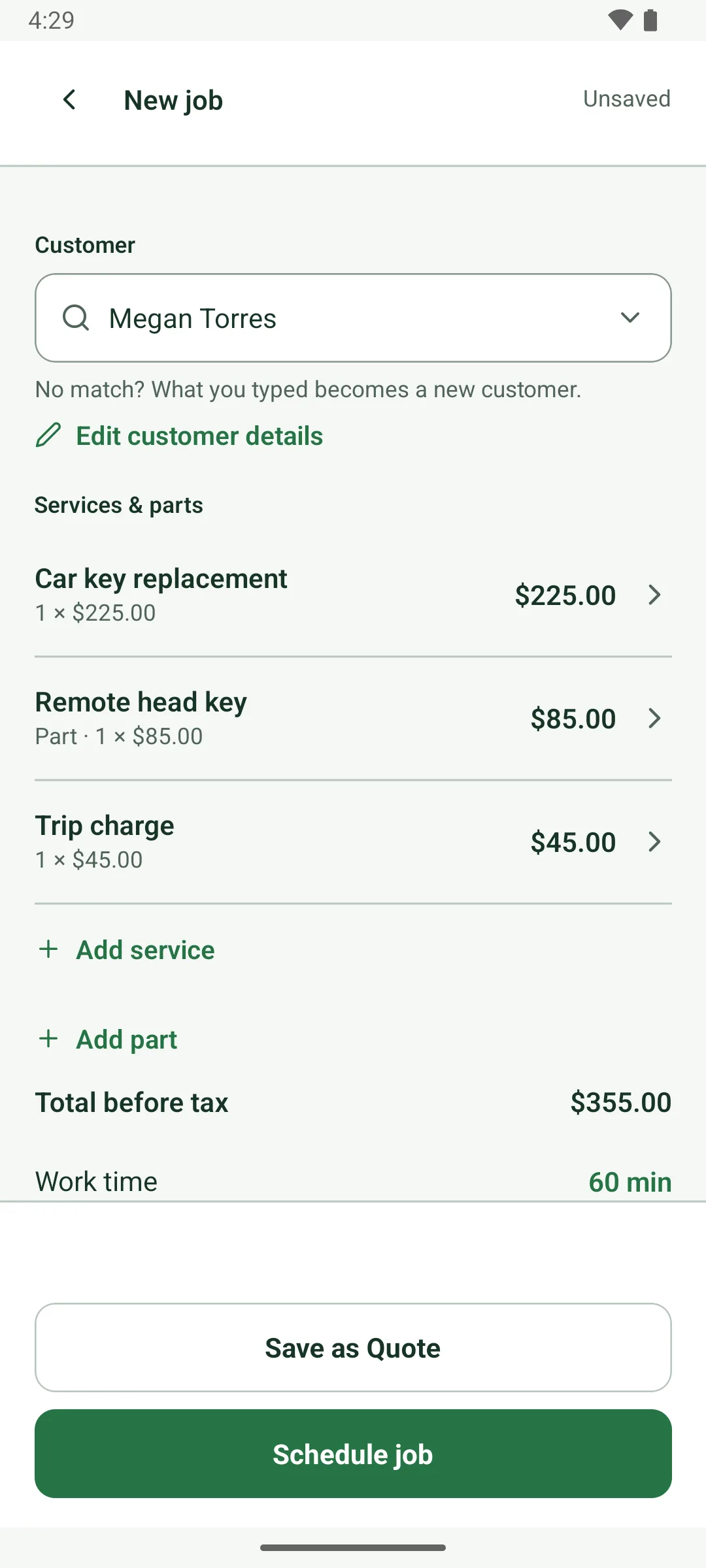
Tap in the service, the key blank, the trip charge. Read them the total.

A new job for Megan Torres priced in lines: Car key replacement, 1 × $225.00; Remote head key, part, 1 × $85.00; Trip charge, 1 × $45.00. Total before tax $355.00, work time 60 min. Save as Quote and Schedule job.

Promise a window you can keep.

Every arrival window allows for the work time and the drive from your base or your last job.

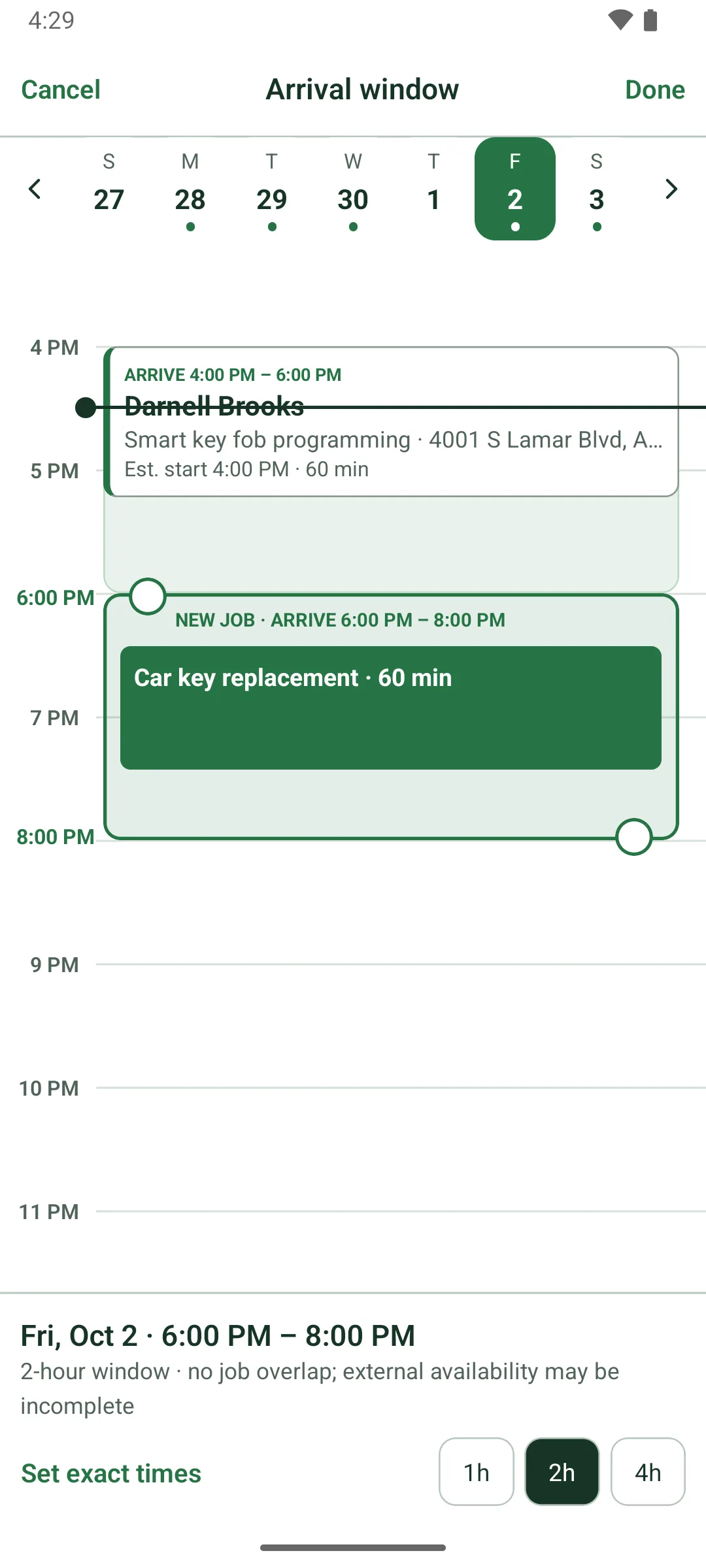
The Arrival window picker for Friday, October 2: Darnell Brooks is booked to arrive 4:00 to 6:00 PM, and the new job, Car key replacement, 60 min, sits in a 6:00 to 8:00 PM window with a handle at each end. Below: 2-hour window, no job overlap; external availability may be incomplete. Set exact times and 1h, 2h, 4h buttons.

Car work starts with the car.

Year, make, model and VIN on the job. Navigate or call in one tap.

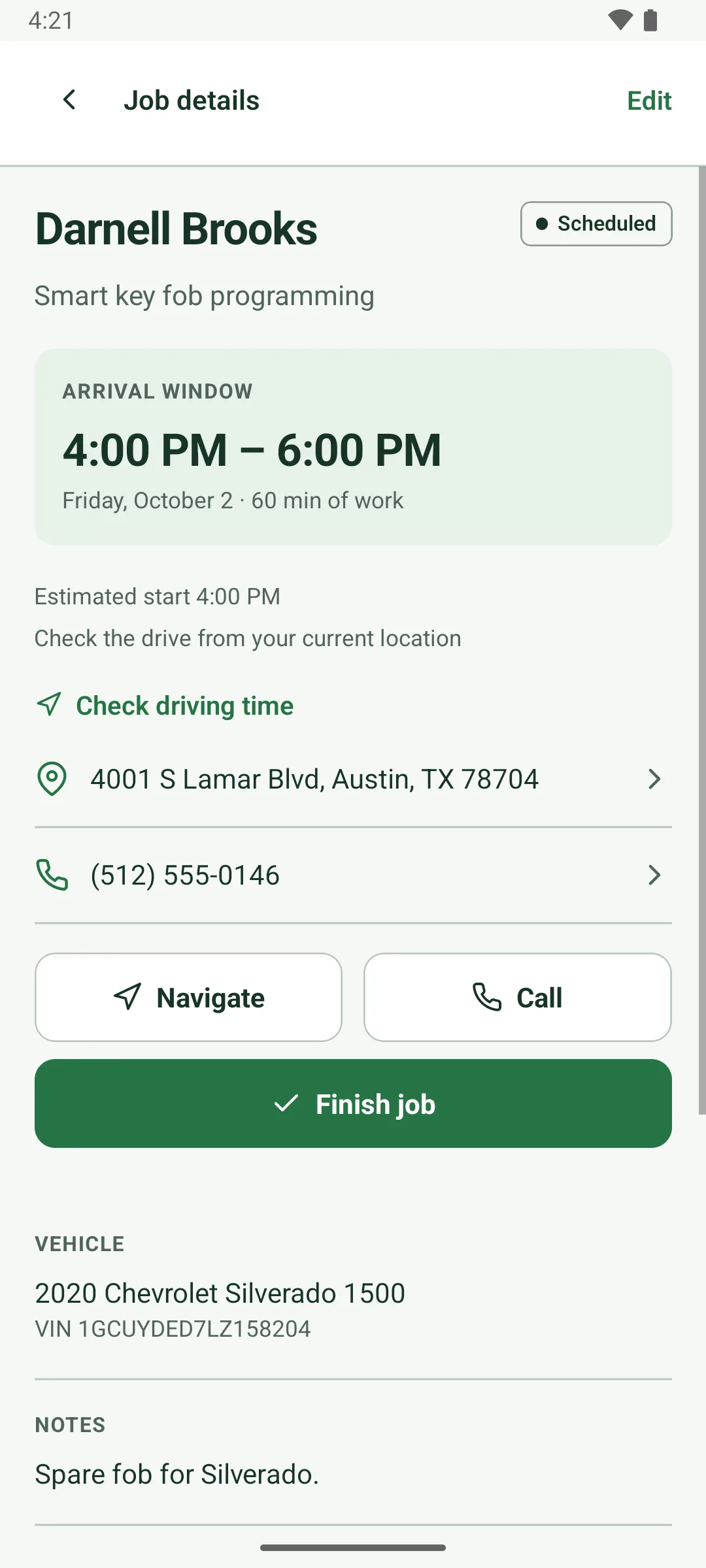
Job details for Darnell Brooks, smart key fob programming, marked Scheduled. Arrival window 4:00 to 6:00 PM, Friday, October 2, 60 min of work, estimated start 4:00 PM, Check driving time, the address and phone, Navigate and Call buttons and a green Finish job button. Vehicle: 2020 Chevrolet Silverado 1500 with its VIN. Notes: Spare fob for Silverado.

Finish, invoice, get paid.

Tap to Pay, a QR code or cash. Then email the receipt or save a PDF.

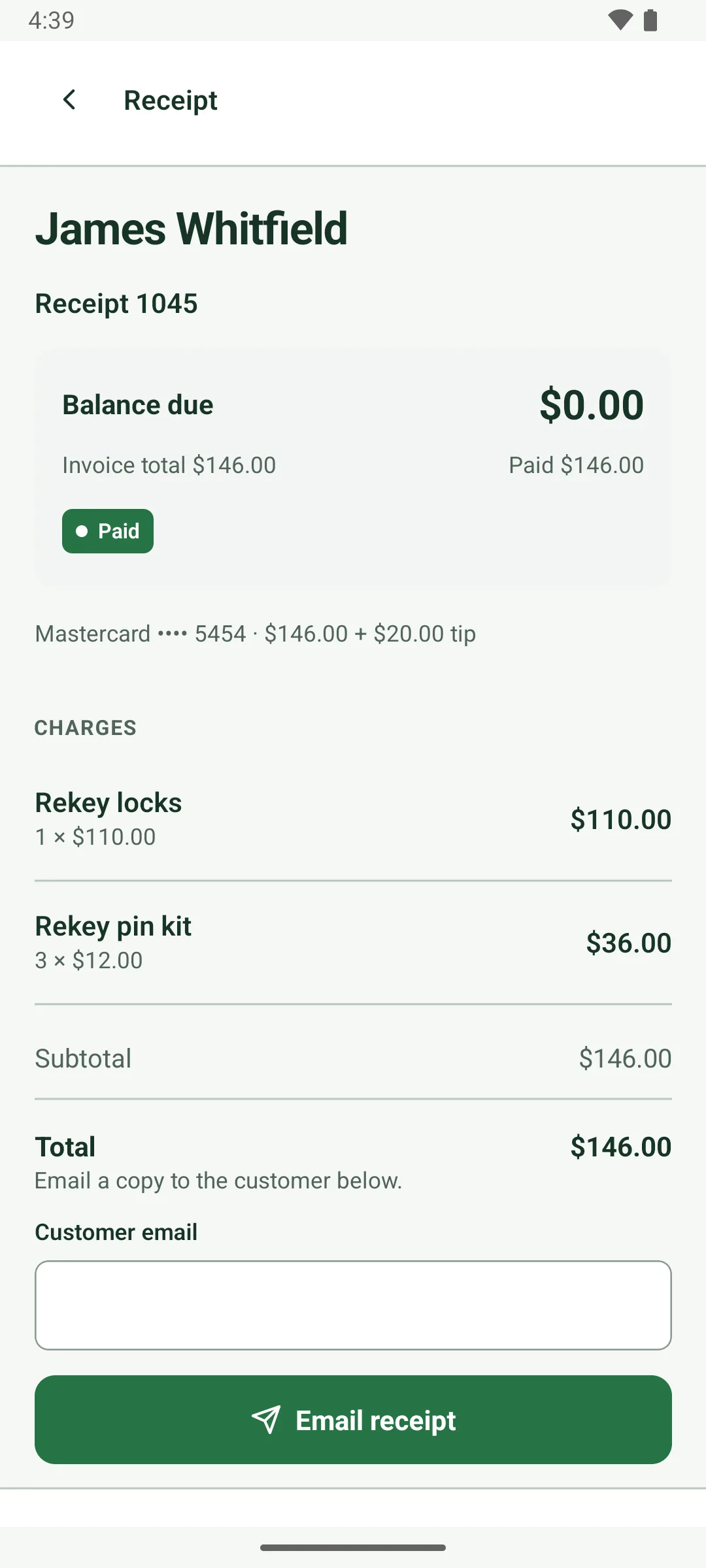
Receipt 1045 for James Whitfield: Balance due $0.00, invoice total $146.00, paid $146.00, marked Paid. The payment line reads Mastercard ending 5454, $146.00 plus a $20.00 tip. Charges: rekey locks and 3 rekey pin kits.

Card payments

Get paid on the spot.

Connect your Square account and take cards at the car or the front door. Every payment marks the invoice paid.

  • Tap to PayCustomers tap a card or phone on the back of your Android phone.
  • Square ReaderPair a Square Reader for chip and contactless.
  • QR codeThey scan the code and pay on their own phone.
  • Payment links and tipsSend a pay-by-card link. Tips are tracked on their own.
Built with Square

Card payments run through your own Square account. Square's standard processing fees apply.
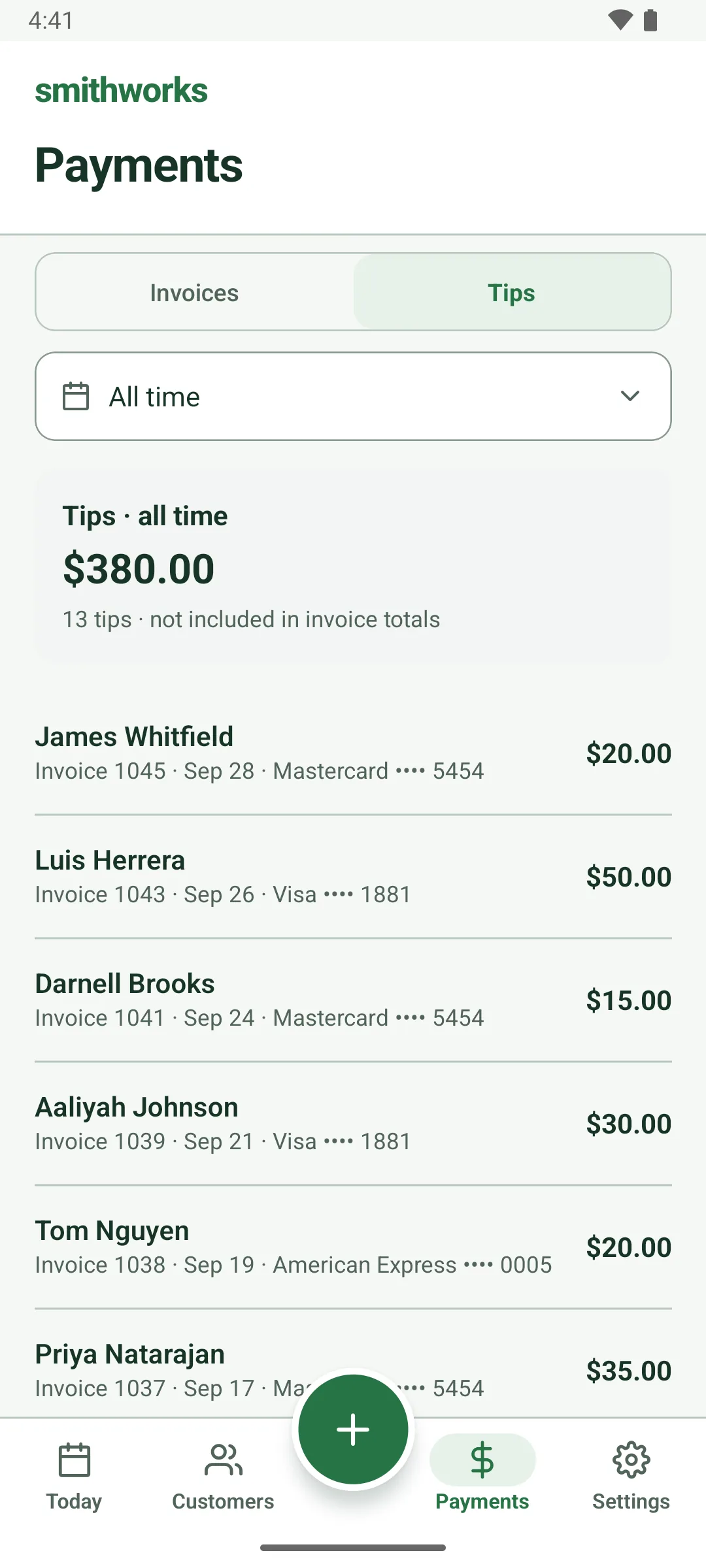
The Payments tab, Tips, all time: $380.00 from 13 tips, not included in invoice totals, listed by customer with invoice number, date and card, such as James Whitfield $20.00 on a Mastercard ending 5454.

Integrations

Works with the apps you already use.

Invoices and payments go to QuickBooks on their own. Zapier connects Smithworks to 9,000+ more apps.

  • QuickBooks OnlineInvoices and payments go to your books.
  • ZapierLeads in from ads and forms, updates out to 9,000+ apps.

A few of the 9,000+ apps you can connect through Zapier

See all integrations

One job, call to receipt.

51 sec

Read the transcript

Mobile locksmiths: quote it on the call. Get paid in the driveway.

With Smithworks, customers book online, day or night.

Tap accept. Your drive time's already planned.

And it plans around your Google Calendar.

Scan the VIN for the year, make and model, then quote it in seconds, even offline.

Securely store customer key codes and security PINs for future use.

Invoice on the spot. Your Google review request goes out an hour later.

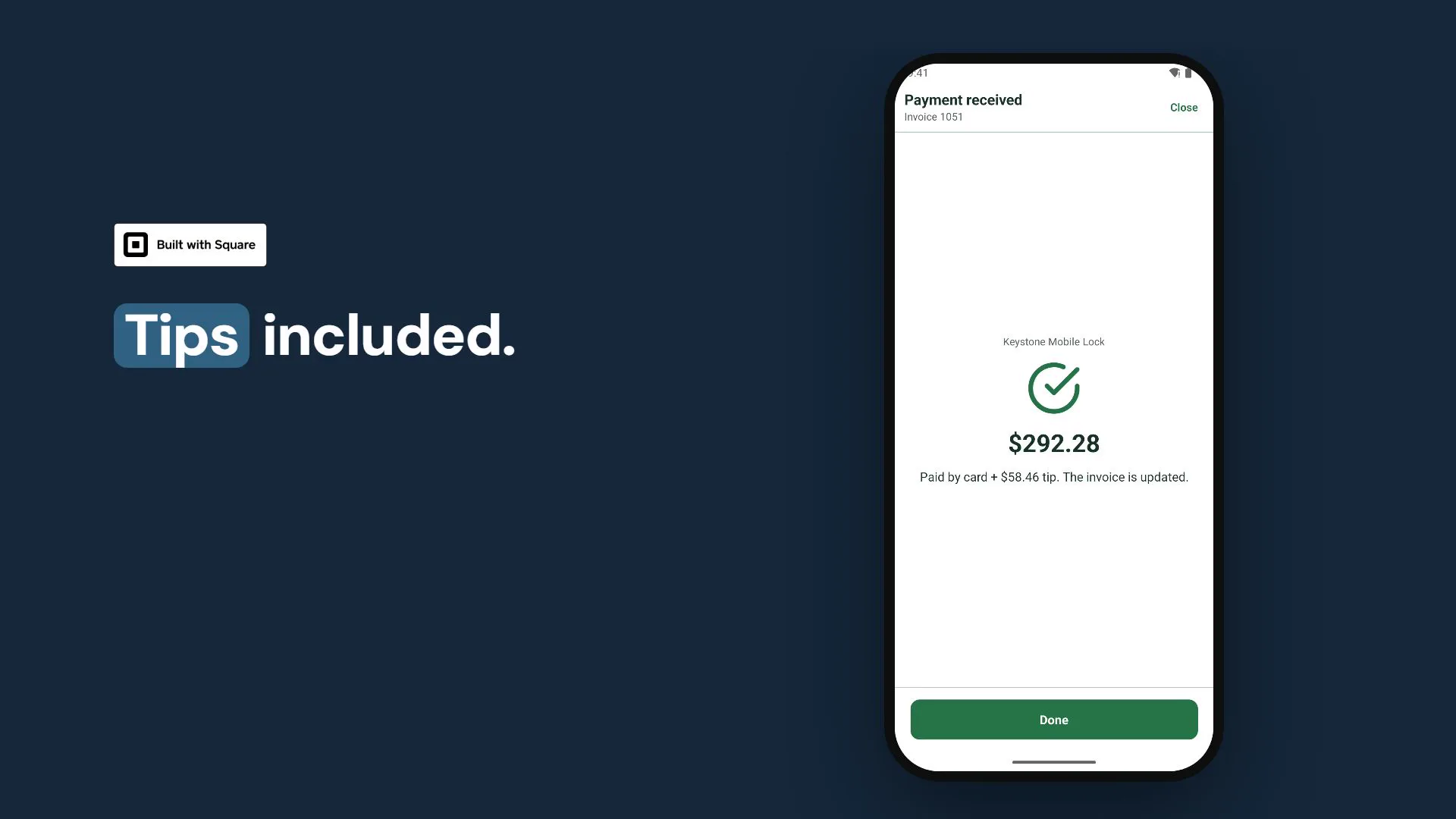
Get paid with Square: Tap to Pay, QR code or pay link. Tips included.

The receipt's sent before you pull away.

And it all lands in QuickBooks on its own.

Integrate with over 9,000 other apps through Zapier.

Try Smithworks free for 14 days. No card needed.

Every screen in this film is a real recording of the Smithworks app. Keystone Mobile Lock and its customers are a fictional demo business; card payments were taken in Square's test mode and invoices went to an Intuit sandbox company.

Built for the field
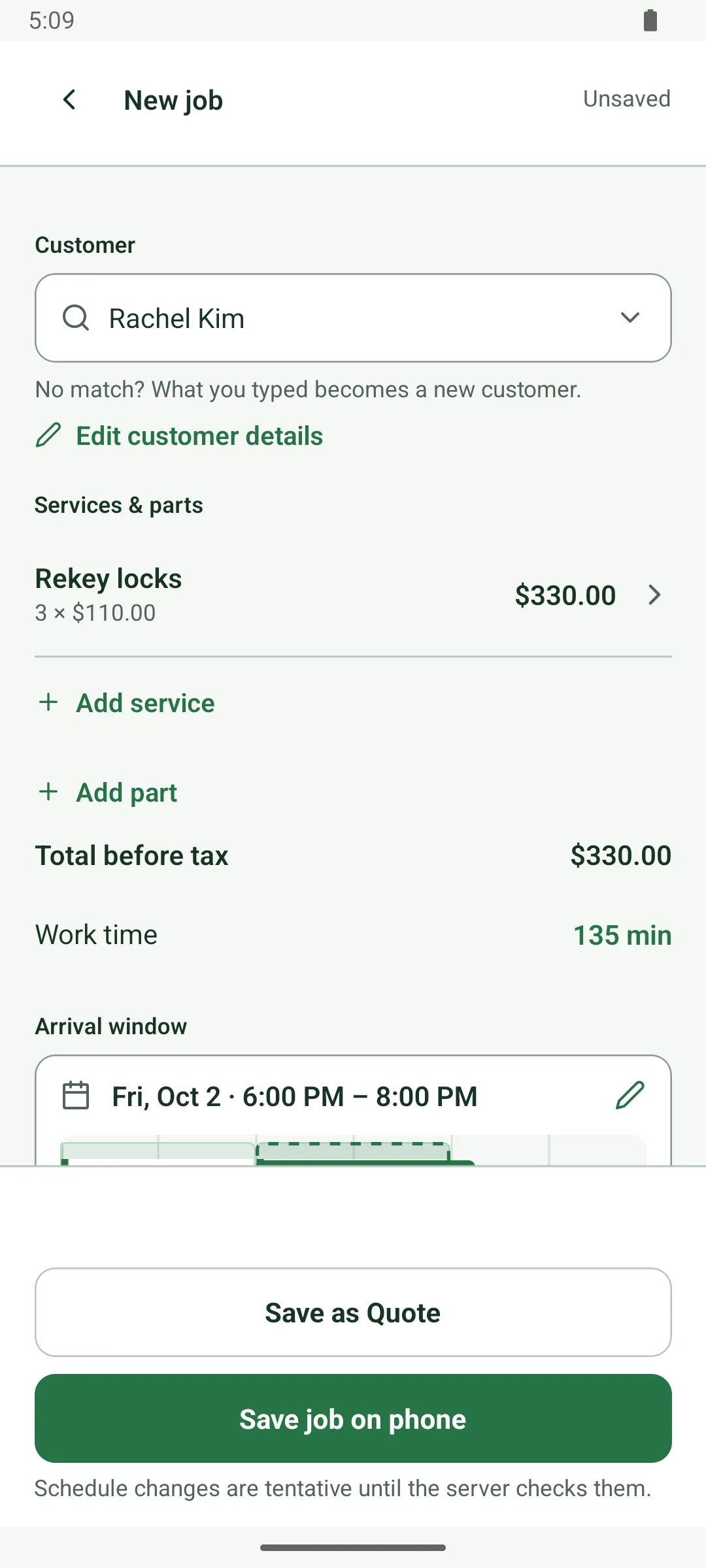
Signal drops? Keep working.

  1. A new job built with no connection: Rachel Kim, Rekey locks, 3 × $110.00, total $330.00, work time 135 min, arrival window Fri, Oct 2, 6:00 to 8:00 PM. The main button reads Save job on phone, with the note: Schedule changes are tentative until the server checks them.
    No signalSave the job on your phone.
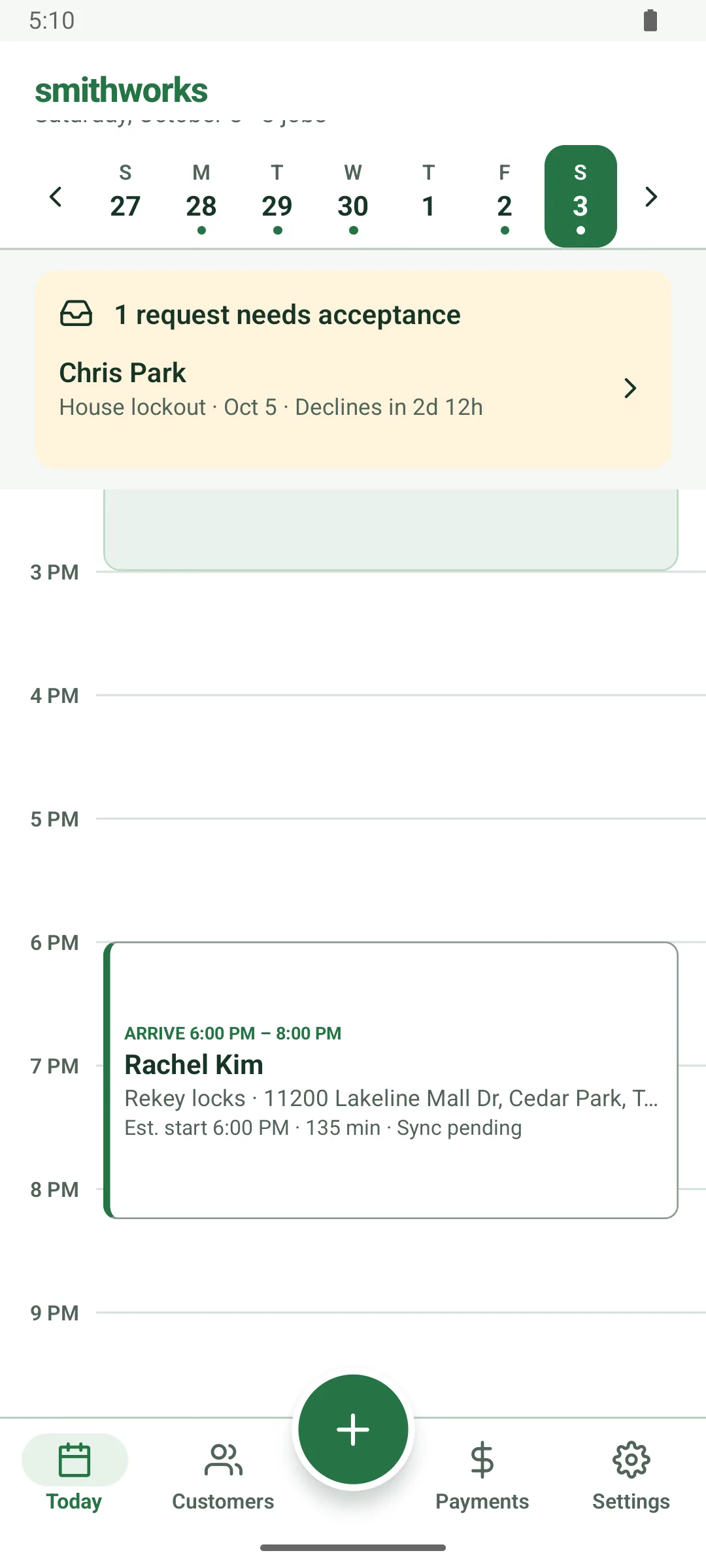
  2. The Today screen for Saturday, October 3, with no connection: Rachel Kim's rekey job, arrive 6:00 to 8:00 PM, shows Sync pending on its card.
    Still no signalIt's on your schedule, saved on your phone.
  3. The same Saturday after the connection is back: Rachel Kim's rekey job, arrive 6:00 to 8:00 PM, no longer shows Sync pending. Priya Natarajan's car key job at 1:00 PM is above it.
    Signal's backIt syncs on its own.

Your customers stay yours. We never sell your data.

Read our privacy promise

Also in the app

  • Customers & history
  • Services & parts
  • Google Calendar
  • Invoices & receipts
  • Offline & sync
  • Sales tax
  • Online booking
  • Card payments with Square
  • Job photos
  • Key codes & PINs
See the full feature list

Pricing

One plan. Two people included.

The first 100 businesses to subscribe lock in the founding price.

Smithworks

Founding price

$9 per month

$19/mo standard

Covers 2 people. Each extra person adds the same.

  • Quotes, jobs and arrival windows
  • Invoices, receipts and payment tracking
  • Card payments with Square
  • Online booking with drive-time checks
  • Email confirmations and reminders
  • Google Calendar sync
  • QuickBooks Online sync
  • Zapier automations
  • Job photos
  • Works without signal*
Create a free account

Starts with a 14-day free trial, no card needed. Billed monthly, cancel anytime.

*Jobs, quotes and payments save on your phone and sync when you reconnect. Email, card payments and address search wait for signal.

Text messages

Coming soon

Text your customers right from Smithworks.

  • Appointment confirmations
  • Reminders before each visit
  • Receipts and payment links

Price announced before launch.

Questions

Straight answers.

Is there an iPhone app?

Not today. Smithworks is built for Android, and it also runs in a web browser at dispatch.smithworks.app. If you're on iPhone, say so in the form at the bottom of this page; it tells us how many locksmiths are asking.

Does it work without signal?

Yes. If the signal drops, new customers, quotes, jobs, finished work and recorded payments save on your phone and sync when you reconnect. Sending email, address search, drive-time checks, new VIN lookups and card payments wait for a connection.

Can I take card payments?

Yes, through your own Square account: Tap to Pay on Android, a Square Reader, a QR code your customer scans, or a payment link. Tips are tracked separately. You can still record cash and checks.

What does it cost?

$19 a month covers you and one more person; each extra person adds $19. The first 100 businesses to subscribe pay $9, for as long as they stay subscribed. Every business starts with a free 14-day trial.

Who owns my customer list?

You do. We never sell your data or share your customer list. Smithworks only emails your customers what you set up: invoices, receipts, booking emails and, if you turn it on, a review request. Delete your data in the app.

Does it work with Google Calendar?

Yes. Connect your Google Calendar and your personal appointments block out busy time, so you don't promise a window you can't keep. Your jobs go on their own Smithworks calendar too.

Is Smithworks a lead service?

No. Smithworks doesn't sell leads or send you calls. It runs the jobs you already get. Online booking lets your own customers request a time from your own page.

More answers in the help center

Start today. It's free.

Create your account at dispatch.smithworks.app and run your next job from your browser. The Android app is on Google Play. Want updates, or an iPhone version? Leave your email.

Get it on Google Play

Smithworks updates email form

Your phone
Add more details (optional)

Only used to reach you about the Android app, never for marketing texts.

How do you invoice today?

We'll only email you about Smithworks. See our privacy policy.